
One very common practice in Kenya, is mobile lending. Its popularity and easy accessibility, has led to a boom in the number of mobile loan apps available in the country, as a direct response to the ever growing demand present here..
One of those mobile loan apps available in Kenya, is Zash
Zash Loan formerly known as KopaKash, is a mobile cash lender in Kenya. The mobile lending platform, charges different origination fees according to the product you choose, which will then be used for credit score assessment, account management, as well as payment costs.
What You Should Know About Zash Loan
Below are certain things you should know about the Zash Loan i.e, the features:
- Zash Loan is available across Kenya.
- In order to use Zash Loan, you must reside in Kenya.
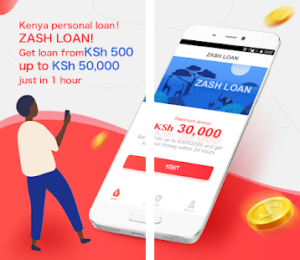
- Zash gives loans from a minimum of 1,000 Kenyan Shillings, to a maximum of 50,000 Kenyan Shillings.
- As your credit score increases the amount you will be able to loan with or from Zash, will also increase.
- Zash Loan is only eligible to individuals who are 18 years above and not older than 60 years.
- All Zash Loan applicants, must have a monthly source of income in order to qualify for a loan.
- The shortest loan duration with Zash Loan, is 91 days, while the longest duration is 120 days.
- Loans on Zash, attract a maximum interest rate of 20 percent, per annum (year).
- Users of Zash Loan, do not need to have a credit history before accessing loans with the mobile lender.
- Applying for loans on Zash, is an entirely digital and paperless process that can be carried out from the comfort of your mobile device.
- Zash provides access to loans twenty four (24) hours a day and seven (7) days a week.
- Zash Loan offers its users a variety of repayment methods that are convenient.
- The review process for a loan application with Zash, takes a maximum of thirty (30) minutes.
- Upon approval your requested loan amount will be deposited directly into your bank account or M-Pesa mobile wallet account within five (5) minutes.
How To Apply For A Zash Loan
To apply for a loan with Zash Loan, simply:
- Go to Google Play Store on your android device and search for Zash Loan App. Alternatively, you can download the Zash Loan Mobile app via this link: https://play.google.com/store/apps/details?id=com.kopakash
- As soon as you are done downloading the Zash Loan application on your smartphone, install and launch the application.
- Next, register for Zash Loan with your Safaricom phone number that already has M-Pesa enabled.
- Once done, select the Zash Loan product that you would like to apply for.
- Next, type in your basic information and upload the necessary documents.
- After uploading said documents, proceed to submit your application.
After submission, the final application result will be shown in the Zash Loan APP. If your application is approved, a notification will also be sent to you via SMS.
Please ensure that you sign the loan agreement that will be sent to you after the approval. You can do so electronically.
Zash loan assures users and loan applicants that their data is safe, as it is transferred over a secure HTTPS connection. Zash Loan does not share your data or information with any third party (excluding the lenders), without your consent and all the transactions are secured via a 128-bit SSL encryption.
How To Repay Your Zash Loan Via Paybill
To repay your Zash loan via Paybill, simply:
- Open up your M-Pesa
- Select the ‘Lipa Na Mpesa’ option.
- Next type in 733555 as the business number in the Business Number field. This is the Paybill number for Zash Loan.
- Once done, type in your Safaricom phone number as the account number in the Account Number field.
- Next, type in the Loan amount you would like to pay.
- Type in your M-Pesa PIN.
- Once done, select submit.
Upon submission of your loan repayment, you will receive a notification from Zash as well as M-Pesa, confirming that your repayment transaction was successful and that your Zash loan has been settled.
How To Repay Your Zash Loan Via Bank Account
To repay your Zash loan via Bank Account, simply deposit the loan amount to the bank details below:
Account Name; Lui Bo
Account number; 2041217491
Bank Name; BARCLAYS BANK OF KENYA LIMITED
Branch Name; QUEENSWAY HOUSE
Short Code; 03094
If you need further assistance from Zash however, you can also reach them via their email address: cs@kopakash.com
You can also visit their office at: Tetezi Tower,George Padmore Road,Nairobi City,Kenya.
Sending a message to the Zash support team via the Zash Loan app, is another option.
