

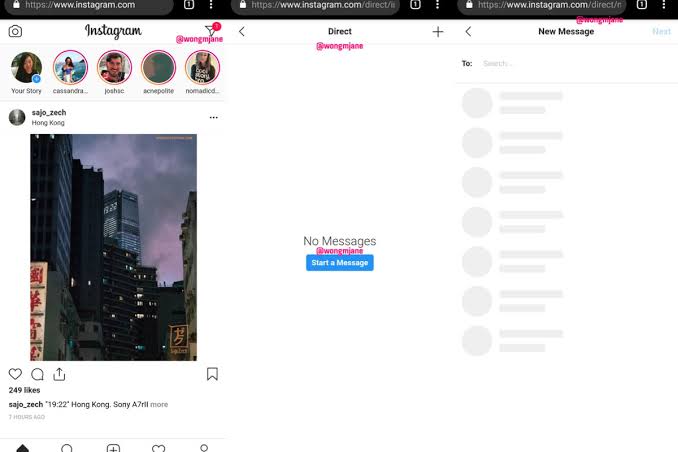

Ever since Instagram For Web was introduced, one of its greatest flaws was its inability to allow users upload photos to the platform via web. That function along with a few others, was reserved exclusively for its mobile app versions. This is because Instagram started out as a mobile first service before the web functionality was added.
Today’s article, will show you how you to upload photos to your Instagram Account via the Instagram For Web option.
Please note however, that this will ONLY work if you use the Google Chrome Web browser because according to our research the extension that supports the uploading photos feature is only available on Google Chrome.
The Steps
- The first step to get started is to open your Google Chrome browser, and go to ‘Settings’ and then ‘Extensions’.
- Next go to the Google Chrome Web Store (https://chrome.google.com/webstore/unsupported?hl=en-US).
- Once there, search for the ‘Downloader For Instagram’ extension and select ‘Add to Chrome’ and wait for Google Chrome to install it.
- After the ‘Downloader For Instagram’ extension has been successfully installed, you will be able to upload photos to your Instagram account via the web version. All you need to do is log into your Instagram account if you haven’t already, and go to your profile. You will be able to upload your photos from there.
- When you are on your Instagram profile, you will see a camera icon next to the ‘Edit Profile’ option.
- Next, simply select the camera option and choose if you want to upload the photo to your feed or to your Instagram Stories.
After installing the ‘Downloader For Instagram’ extension, you do not need to activate it all the time. You can choose to activate it when you need to use its features and proceed to deactivate it until the next time you need it.
Alternatively, you can also just select the mobile option on the homepage. Doing that will open Instagram’s desktop interface where all you will need to do is simply select the ‘+’ option which will be at the bottom of your screen. This will give you the same experience you would get when uploading photos on your phone.
Please note that you can only upload photos that are in the jpeg format for now.
Extra Goodies
Apart from letting you upload photos to your Instagram, the ‘Downloader For Instagram’ extension, allows you to download Instagram Stories posted by individuals that you follow.
You can also watch Instagram Live videos by individuals you follow via the ‘Downloader For Instagram’ extension when you are using the web version of Instagram.

Instagram which is the world’s largest growing social media platform was launched on the 6th of October 2010. The social media platform moved from 100,000 users in one week to 1 million users in two months, becoming the Number 1 photography app.
The app was bought by Facebook for $1 billion dollars in 2012. As at the 26th of June 2018 www.cnet.com put the estimated net worth of Instagram at $100 billion.
Instagram has 1 billion monthly active users with 71% of that number being under the age of 35. It is the most engaged social media platform after Facebook.
