



Mobile lending has become a very popular practice in Kenya. Its growing popularity and easy accessibility, has led to a boom in the number of mobile loan services available in the country, as a direct response to the ever growing demand present here..
One of the mobile loan services available in Kenya, is Kua.
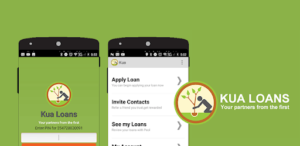
Kua loan App which is a product of Kuatech, provides unsecured loans to regular individuals and business owners, who are in dire need of quick and very accessible financial aid.
The Kua Loan app, makes it very easy for its users to access loans anytime and anywhere. All a user needs to do is to make sure his or her loan application via the mobile app, has been completed. The process only takes a few seconds to less than 2 minutes, depending on various factors.
What You Should Know About Kua Loan
Below are certain things you should know about Kua Loan i.e, the features as well as the requirements for your loan application:
- Kua Loans have a registration fee of 250 Kenyan Shillings.
- You must be residing in Kenya in order to be eligible for a Kua Loan.
- You must have an Android mobile device that can successfully download and install the Kua Loan mobile app.
- You must have a Kenyan ID or Passport number.
- While the amount that Kua will loan you, is heavily dependent on your credit score. Initially however, you can borrow from as little as 500 Kenyan Shillings, to as much as 50,000 Kenyan Shillings. In order to increase your credit score, ensure that you repay your loans, on time.
- Your loan once approved, will be sent directly into your M-Pesa mobile money wallet.
How To Apply For A Kua Loan Via The Kua Loan App
To apply for a Kua Loan via the Kua Loan mobile app, simply:
- Go to Google Play Store on your android device and search for ‘Kua Loans’. Alternatively, you can download the Kua Loan Mobile app via this link: https://play.google.com/store/apps/details?id=ke.co.kua.Kua&hl=en&referrer=utm_source%3Dgoogle%26utm_medium%3Dorganic%26utm_term%3Dkua+loan+app&pcampaignid=APPU_1_Dx3AXcmEDYfVgQb15K3ADg
- As soon as you are done downloading the Kua Loan application on your smartphone, install and launch the application.
- Next type in your details i.e your Names, Date of Birth, Identification number, Mobile phone number, as well as your email address.
Remember that after you have filled in the required information, you will need to pay the Kua registration fee which is 250 Kenyan Shillings, in order to complete your registration and loan application.
How To Pay Your Kua Loan Registration Fee Via M-Pesa
To pay your Kua Loan registration fee, via M-Pesa, simply:
- Go to your M-Pesa via your Safaricom SIM Toolkit.
- Once there, select the ‘Lipa na Mpesa’ option on the menu.
- Next, select the ‘Paybill’ option.
- In the field labelled as ‘Paybill Number’, type in 780785.
- Next, in the field labelled as ‘Account Number’, type in your M-Pesa phone number.
- Once done, put 250 Kenyan Shillings as the ‘Amount’.
- Type in your unique M-Pesa pin.
- Make sure that all the details you provided are accurate, especially the Paybill Number and of course your phone number. After making sure the details are correct, proceed to select ‘Ok’.
The purpose of the Kua Loan registration fee of 250 Kenyan Shillings, is to discourage individuals who would default, from even applying for a Kua Loan to begin with.
How To Repay Your Kua Loan Via M-Pesa
To repay Kua loan via M-PESA Paybill, simply use the following steps:
- Go to your M-Pesa via your Safaricom SIM Toolkit.
- Once there, select the ‘Lipa na Mpesa’ option on the menu.
- Next, select the ‘Paybill’ option.
- In the field labelled as ‘Paybill Number’, type in 780785.
- Next, in the field labelled as ‘Account Number’, type in your M-Pesa phone number.
- Once done, type in the loan amount that you would like to repay.
- Type in your unique M-Pesa pin.
- Again, make sure that all the details you provided are accurate, especially the Paybill Number and of course your phone number. After making sure the details are correct, proceed to select ‘Ok’.
Remember, paying your Kua loan on time will increase your credit score and also qualify you for bigger loan amounts. Ensure that you repay your Kua loan before due date to avoid any additional charges.
How To Contact Kua
If you are however in need of further assistance from Kua, please feel free to reach out to the loan provider via the following channels:
- Their Phone Number: +254776642659
- Their email address: admin@kuatech.co.ke
- Their website: kuatech.co.ke
