

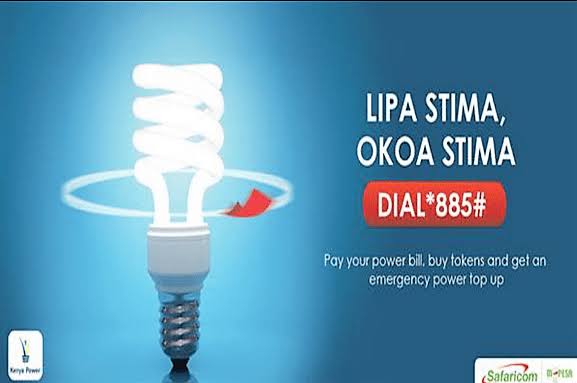

Ever been home and all of a sudden units imeisha? You try to buy more only to find out that you’ve run out of money on your M-Pesa?
Well I’m sure you must have experienced that, or at least you know something who has.
Thankfully Safaricom and KPLC have introduced a solution called Okoa Stima.
Okoa Stima is a service which allows Safaricom and KPLC customers to avoid electricity disconnections without having to pay immediately. It offers Prepaid and Postpaid KPLC users a one stop shop for all their power access needs including services such as payment of power bills, account registration, bill querying and presentment, purchase of tokens and access to emergency power top up as users can borrow any amount as long as it is within their pre-determined credit limits.
The credit limit is based on the history of your transactions with KPLC.
Sadly, Okoa Stima is only available to KPLC users who have Safaricom lines.
How to Sign Up for Okoa Stima
To sign up for Okoa Stima simply:
- Dial *885# on your Safaricom line and accept the terms and conditions.
- Next enter your National Identification Number (ID).
- Once done, create your secret Personal Identification Number (PIN) which you will need to confirm.
- As soon as you get a confirmation message on your phone, proceed to register your meter and account by selecting ‘register new’.
- Next, select either Prepaid or Postpaid depending on your KPLC meter account.
Below is a step guide for both the Prepaid and Postpaid KPLC options.
For Prepaid Customers
- Dial *885# from your Safaricom line.
- Enter your secret Personal Identification Number (PIN).
- Next select the Prepaid option.
- Once done, select Okoa Stima and then ‘Request Emergency Top Up’.
- Once there, type in your meter number and then select any of the available Okoa amount options ranging from 100 Kenyan Shillings to 1000 Kenyan Shillings.
Postpaid Customers
For Postpaid users:
- Dial *885# on your Safaricom line and then select ‘Postpaid’.
- Next select your account.
- Your bill on will be immediately be displayed on the account.
- Select Okoa Stima, follow the procedure and you’re good to go.
Each user is allowed to register a maximum of 3 Prepaid or Postpaid accounts for Okoa Stima. All Tokens purchased and or Bills paid can only be used on the 3 registered accounts.
Repaying Your Okoa Stima
When you Okoa stima, your M-Pesa account will be deducted. The deduction will be automatic and will also include the 12% facility fee.
For Prepaid Users:
- Please ensure that you have enough money in your Mpesa account.
- Next dial *885# on your Safaricom line and then Enter your Personal Identification Number (PIN).
- After inputting your Personal Identification Number (PIN), select the Okoa Stima Prepaid option.
- If you have a pending balance, select ‘Repay Okoa Stima’.
- You can then choose between the full payment or part payment options, depending on the amount you have in your Mpesa.
For Postpaid Customers
- Ensure that you have enough money in your Mpesa account.
- Next dial *885# on your Safaricom line, enter your Personal Identification Number (PIN) and select the Postpaid option.
- Once done, choose the registered account.
- The bill for the account will then be displayed.
- Next select M-Pesa Paybill.
- You can either Choose to pay in full or make a part payment.
- After choosing your payment option, enter the amount to be paid.
Okoa Stima Limits
Regarding Okoa Stima units, the maximum loan is 2000 Kenyan Shillings and the minimum amount is 100 Kenyan Shillings.
